Wall-Mounted or Freestanding: Two Ways to Place a Screen
Wall-mounted or freestanding screen placement shapes furniture use, cable planning, and room balance. Compare both setups to choose a location that fits.
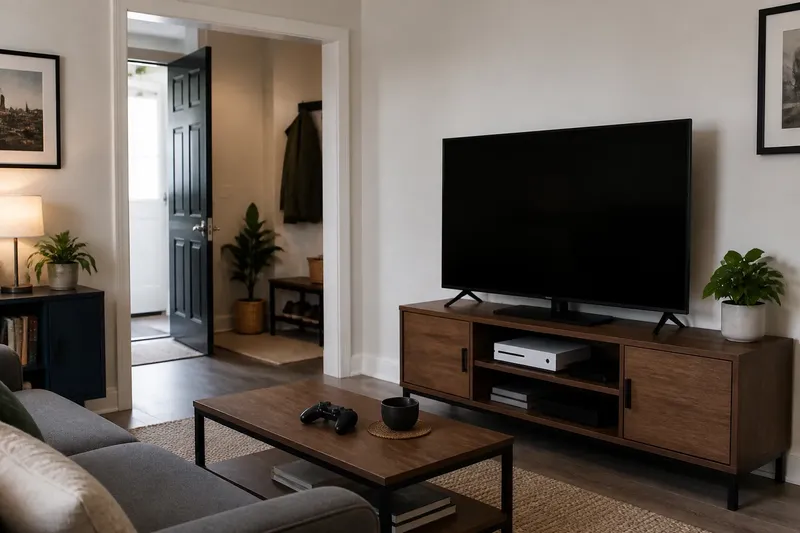
A screen beside a crowded doorway can turn a simple route into a daily obstacle. Wall-mounted or freestanding screen placement is not just a choice about floor space; it determines how the display relates to furniture, cables, and the wall around it.
Think of the screen like a lamp: its position matters, but so does the surface beneath it and the way its cords reach an outlet. The useful question is which arrangement fits the room’s actual constraints.
What does each placement change?
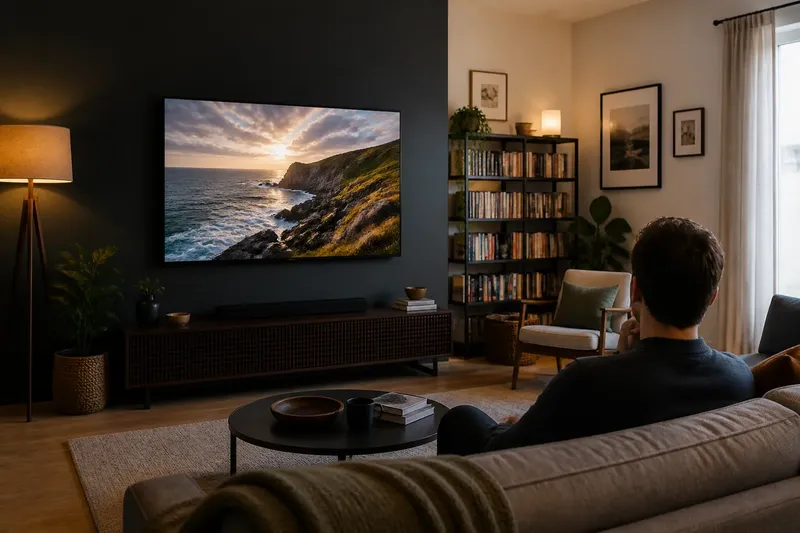
A wall-mounted display leaves the surface below it available for other uses. It also creates a fixed point on the wall, so its position is harder to revise if the furniture changes. The installation has to suit the wall and the display’s mounting instructions.
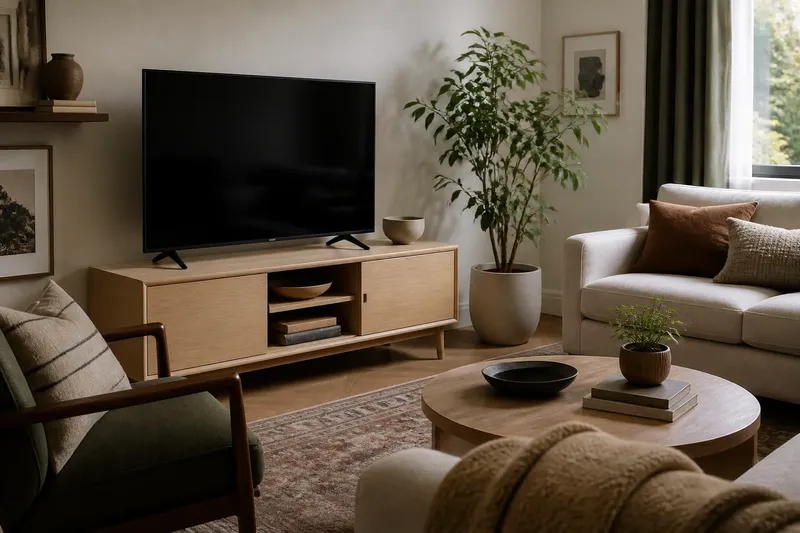
A freestanding screen rests on a stand, console, or media cabinet. It can be easier to reposition, depending on the support and connections, but the furniture occupies floor or surface space. The display, stand, and equipment also need to sit securely together.
Neither arrangement makes the screen vanish when it is off. A mounted display can read as part of a wall composition, while a freestanding one can feel connected to a cabinet or other furnishings.
Is the existing furniture a good support?
Check the console or cabinet before choosing a freestanding setup. Look at whether its top is stable and suitable for the display, whether connected equipment has a place, and whether the cords can reach power without crossing a walking route. Follow the display maker’s guidance for placement and support.
If the furniture is crowded or too shallow for the intended setup, wall mounting may free the surface. A low cabinet can still anchor the wall and hold other items, but it should not be treated as display support if the display instructions do not allow that arrangement.
For a mounted screen, consider what will sit beneath it. A cabinet, shelves, or a lamp can make the wall feel composed; an empty surface can also be a deliberate choice if the room benefits from it.
How should you assess the wall and cable route?
Look at the wall from the doorway and from the seats where the display will be used. Note windows, doors, shelving, and nearby furniture. A screen that seems centered from one position may feel crowded beside an opening or disconnected from the console below.
Trace the likely cable path before committing. Identify the outlet, connected devices, and any route where a cord could cross a walkway. If installation requires drilling or changing a wall, check the wall type and the display and mount instructions; consult a qualified installer if you are unsure about the structure or safe installation.
A freestanding setup may make cable access easier, but it does not remove the need to keep cords orderly. A mounted setup can clear a console surface, yet its cables still need a suitable route to power and equipment.
What should you check before choosing?
- Support: Observe whether the console is stable and suitable for the display. If it is, try the freestanding arrangement; if not, use an appropriate support or consider a correctly installed wall mount.
- Surface use: Observe whether the console is needed for equipment or other objects. If its surface is already crowded, consider mounting; if it has a suitable open area, test the freestanding option.
- Walking route: Observe whether a stand or its cords would obstruct passage. If they would, try a different location or a wall-mounted arrangement; if the route stays clear, the stand may be workable.
- Wall conditions: Observe whether the proposed wall location and structure suit the mounting instructions. If they do, plan the installation; if they do not or you cannot tell, use a suitable freestanding support or ask a qualified installer.
- Equipment access: Observe whether connected devices can be reached and used in each setup. If a mounted position makes access awkward, compare a freestanding setup; if access remains convenient, either arrangement can stay in consideration.
- Visual balance: Observe whether the display aligns sensibly with the console, shelves, or openings. If the wall feels crowded, shift the proposed position or compare a freestanding grouping; if the arrangement reads clearly, retain it.
Say you have a low console, a doorway near one end of the wall, and a display with a game console that needs to remain accessible. You first place the display on the console and find that its stand would narrow the usual route past the doorway. You then sketch a wall-mounted position above the console and trace the cords to the outlet; the route remains clear, but the game console would be difficult to reach. You compare a freestanding position on a nearby, suitable cabinet and find that it preserves access without crossing the doorway. In this invented situation, the nearby cabinet is the more useful choice if its support and cable path meet the maker’s guidance; if they do not, the decision shifts to a properly planned mount or another location.
What do people ask about screen placement?
Is wall-mounted screen placement always better for a small room?
No. Mounting can clear a surface, but a freestanding display may work well on furniture already suited to it. Compare the full arrangement, including access to equipment and the route past the support.
Can a freestanding screen look intentional?
Yes. A suitable console can connect the screen visually to other furniture and provide a place for equipment. A close match in finish is not necessary if the arrangement feels considered.
Should a screen be centered on the wall?
Not always. Alignment with a console or another visual anchor may matter more than the wall’s midpoint, especially near a doorway or window. Check the position from the main entrance and the usual viewing area.
Does mounting make it easier to change the room later?
Mounting frees the surface below, but the display itself is less convenient to move. A freestanding setup may be easier to reposition if the support, cables, and equipment allow it.
Which placement suits the room?
For wall-mounted or freestanding screen placement, decide by checking support, access, installation conditions, and cable routes rather than by treating either arrangement as the default. If the room’s furniture and equipment still function as intended, and the display has a clear, suitable position, the choice is grounded in how the space is actually used.